How to Make the AI Tiny Desk Video, Step by Step
 AI Tiny Desk
A step-by-step guide to the viral AI Tiny Desk "Outstanding" meme: pick a desk, add 1–5 photos, generate in minutes and post it so it actually gets views. No CapCut needed.
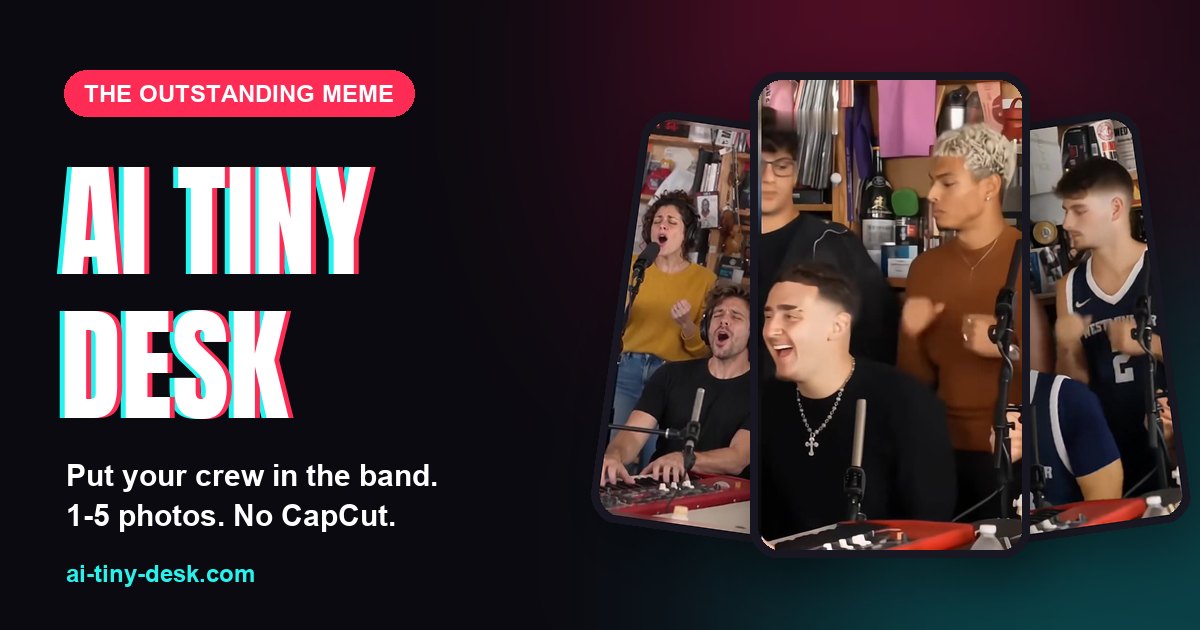
The AI Tiny Desk meme is everywhere right now: a band crammed behind a desk full of records, a lead singer who can't stop laughing, a sax solo, and "Outstanding" playing over all of it. The fun part is seeing your people in that band. This guide walks you through making one in a few minutes, straight from your browser, and then posting it so it rides the trend.
What you're making
- A vertical 9:16 video, up to 15 seconds long, ready for TikTok, Reels and Shorts.
- One to five of your people swapped into the band, depending on the desk you pick.
- Everyone appears in their own outfit from their photo. It isn't a face pasted onto someone else's clothes, which is what CapCut templates do.
- No watermark, no app to install, no editing.
Step 1: Pick a desk
Each desk is a different take on the trend, with its own band and its own spots to fill:
- Coaches' Desk: the coaches' take on the trend, with five spots.
- Friends Band: five friends at the keys, the mics and the sax.
- College Teammates: five players in jerseys.
- Five Strangers: an office-party style band with four spots.
- The Original Desk: the lead and the sax player, two spots.
Tip: pick the desk whose band size matches your group. A crew of four looks best on Five Strangers; a duo fits The Original Desk.
Step 2: Swap in your crew
Tap a face in the desk and add a photo of the person who should take that spot. You can fill one spot or all of them; any spot you leave empty keeps the performer from the original clip.
What makes a good photo:
- One person per photo. Crop out anyone else.
- A sharp, well-lit face, looking roughly at the camera. Sunglasses and heavy shadows make it harder.
- The outfit you want them to wear. Their clothes come from this photo, so a jersey, a suit or a hoodie all carry over.
- JPG, PNG, WebP or HEIC all work. Photos are shrunk in your browser before upload, so big phone photos are fine.
Who you can add: adults who agreed to be in the video. No children and no celebrities.
Step 3: Pick the quality
- 768P costs 10 credits and is plenty for a phone screen.
- 2K costs 20 credits and is sharper if you want to repost or crop it.
Credits come in one-time packs. They never expire, and there's no subscription. If a video fails, its credits come back automatically.
Step 4: Generate and wait a few minutes
Confirm that everyone pictured agreed, then hit Generate my video. A video usually takes 4 to 7 minutes. You don't need to keep the page open: it waits for you in My videos, and we email you when it's ready.
Behind the scenes, AI first builds a reference sheet for each person from their photo, then renders the whole desk again with your crew in it.
Step 5: Save it or send it to your phone
Open the finished video and:
- Save video to download the MP4.
- Send to phone: scan the QR code with your phone camera to save it straight to your camera roll. The link is private and expires after a day.
- Share makes a public link with a preview card, handy for group chats. Videos stay private until you share them.
Videos are kept for 30 days, so save the ones you love.
How to post it so it gets views
The video is half the job. These habits help it ride the trend:
- Post while the trend is hot. Meme formats move fast, so post the same day you make it.
- Use the trending sound. On TikTok, add the "Outstanding" Tiny Desk sound so your video shows up on the trend's sound page.
- Make the caption about who's in it. "POV: our group chat got a Tiny Desk" or "Made my coworkers into a band" beats a plain "AI video".
- Tag the people in it. They will repost it, and that's your first wave of views.
- Add a few hashtags, such as #aitinydesk, #tinydesk and #outstanding.
- Label it as AI-generated where the app asks. It keeps the post safe and people enjoy the reveal anyway.
FAQ
Do I need CapCut or any app? No. Everything happens in the browser on your phone or computer.
Can I change the song or the room? No. The desk, the camera moves and the song stay the same as the trend; only the people change.
What happens to my photos? They're only used to make your video and are deleted after 7 days. Nothing is used to train models.
Is this affiliated with NPR or Tiny Desk? No. It's an independent fan tool for the meme and isn't endorsed by NPR, Tiny Desk or any artist.
Ready? Make your AI Tiny Desk video now.