AI Tiny Desk Template: 5 Desks, No CapCut Needed
 AI Tiny Desk
Five ready-made AI Tiny Desk templates for the Outstanding meme: who fits each desk, how many people it holds, and how it compares with a CapCut template.
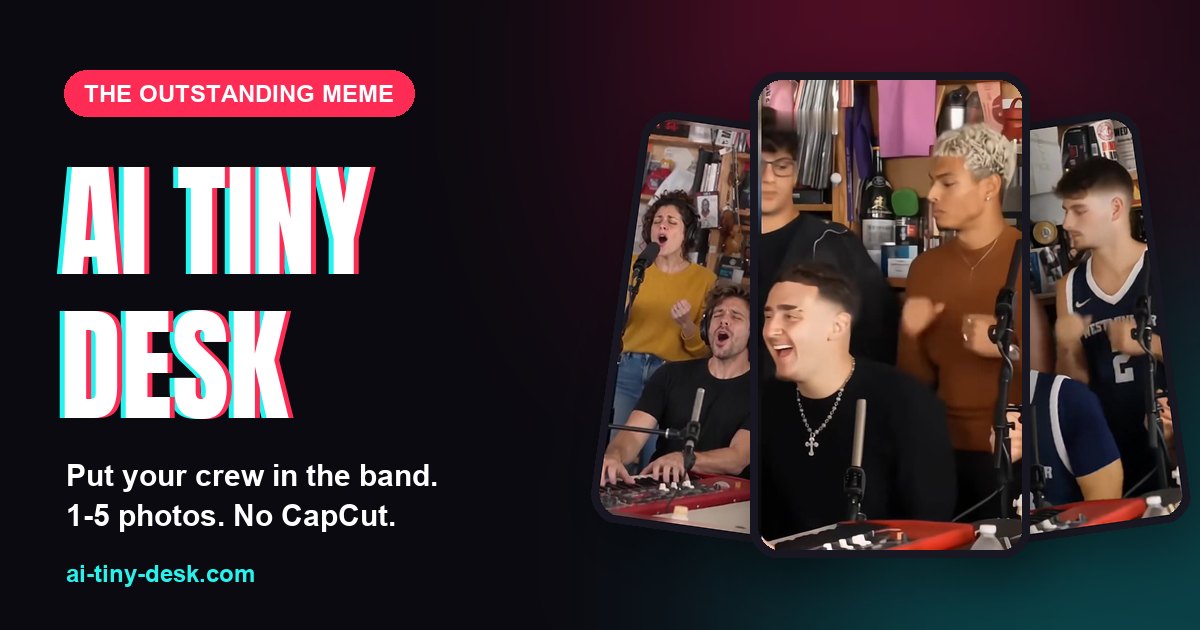
If you search for an AI Tiny Desk template, most results are CapCut templates for the Outstanding meme. They work, but they paste a face onto someone else's body in a fixed clip. An AI Tiny Desk template works differently: you pick a desk, add photos, and AI renders the whole clip again with your people in it. Here are the five desks and how to choose between them.
CapCut template or AI Tiny Desk?
A CapCut template keeps the original clip and swaps faces on top of it, so the outfits, hair and body shapes stay the original performers'. You also need the app, and you usually line things up yourself.
On AI Tiny Desk, AI first builds a reference sheet of each person from their photo, then recreates the desk with them in the band. People show up in their own outfit, the one from their photo. There is no app and no timeline to edit, and you can put up to five people in one video instead of one face.
The five AI Tiny Desk templates
- Coaches' Desk: five spots, about 15 seconds. Built on the All-Loss coaches clip that started the Outstanding Tiny Desk meme. Best for your team, your league or your fantasy group.
- Friends Band: five spots, about 14 seconds. A lead at the keys, two in the back row, one in a hoodie and a sax player. Best for group chats and birthdays.
- College Teammates: five spots, about 14 seconds. Five players in jerseys crowd the desk. Best for a roster, a club or an intramural team.
- Five Strangers: four spots, about 11 seconds. Headphones, office lights and a chorus nobody rehearsed. Best for coworkers and office parties.
- The Original Desk: two spots, about 14 seconds. The lead singer and the sax player from the real concert. Best for a duo, or for anyone who wants Charlie Wilson's spot.
Tip: match the desk to your group size. Four people look best on Five Strangers; a pair fits The Original Desk.
Which spots you fill
Every desk shows the face of each performer. Tap the one a person should replace and add their photo. You can fill one spot or all of them. Spots you leave empty keep the performer from the original clip, which is handy when only one friend is the star.
For the best result, use one person per photo, a sharp face looking roughly at the camera, good light and no sunglasses. Their clothes come from the photo too, so a jersey or a suit carries over.
What you get
- A vertical 9:16 MP4 for TikTok, Reels and Shorts, with no watermark.
- Standard quality (768P, 10 credits) or 2K (20 credits).
- Ready in about 5 minutes. It waits in My videos for 30 days, and you can send it to your phone with a QR code.
When you post on TikTok, add the "Outstanding" sound so your video lands on the trend's sound page.
What a template can't do
The room, the camera moves and the timing stay the same; only the people change. AI isn't perfect either: now and then a swapped face shows up in one extra shot. And only use photos of adults who agreed to be in it, never children or celebrities.
Ready to try one? Follow the step-by-step guide, or see the credit packs on the pricing page.
Questions
Is there a free AI Tiny Desk template?
The templates themselves cost nothing to browse, but making a video uses credits: 10 for a Standard video, 20 for 2K. Credits come in one-time packs with no subscription, and a video that fails gives its credits back.
Do I need CapCut or another editing app?
No. Everything runs in your browser on a phone or a computer. You upload photos, and you download a finished 9:16 MP4 with no watermark.
Can I change the song, the room or the cuts?
No. Each desk keeps the original clip's room, camera moves and timing; only the people change. That is what makes it read as the trend.
How many people fit in one template?
Up to five on the Coaches' Desk, Friends Band and College Teammates, four on Five Strangers, and two on The Original Desk. You can fill as few as one spot.